My Secret Weapon: Using Claude as Both PM and Developer
Two markdown files changed everything.
I know that sounds ridiculous. But stay with me.
Last week I told you about my team — how Claude became my developer, tester, designer, and project manager, all for $100 a month. What I didn't explain was the system. Because having a great team isn't enough. You need a way to keep everything organized, prioritized, and moving forward. Especially when you're one person building a production platform and the complexity is growing faster than you can hold it in your head.
That system turned out to be two plain text files. And the instructions I put inside them.
The PM Problem
If you've never worked in software development, you might not appreciate how complicated project management gets.
A good project manager sits between "here's what we want to build" and "here's what actually got built" and makes sure those two things end up being the same thing. They track what's done, what's in progress, what's blocked, and what's next. They break impossible-sounding goals into possible tasks. They ask uncomfortable questions like "are we sure this feature matters?" and "when you say 'almost done,' what do you actually mean?"
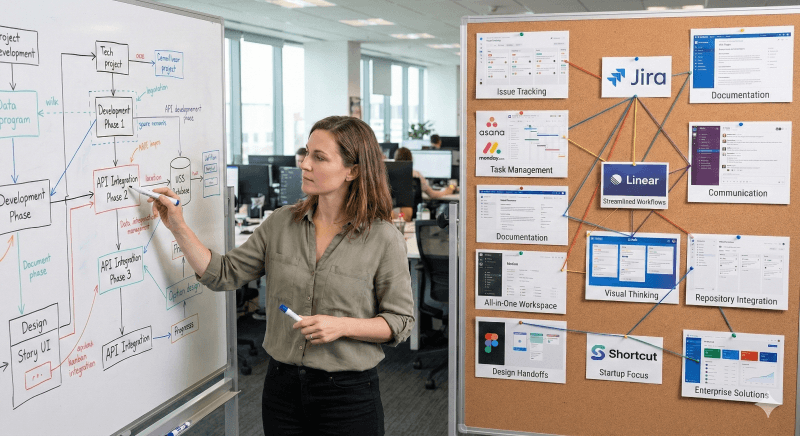
And to do all of that, they need tools. Go ask any software PM what they use. They'll rattle off a list that sounds like a tech conference sponsor wall: Jira, Asana, Monday.com, Confluence, Linear, Notion, Trello, GitHub Projects, Figma. Each one costs somewhere between $10 and $50 per user per month. Then there's the overhead no tool can fix — the sprint planning meetings, the standup meetings, the backlog grooming, the "quick sync" that turns into an hour.
My project manager doesn't need any of that.
Claude needs two markdown files. And the instructions I put inside them.
How Claude Built the System
For the first month or so, I'd been tracking everything in a single dashboard — a document that listed features, progress, and what came next. It worked, but every time I wanted it updated, I had to give specific instructions. Move this to completed. Add that to the roadmap. Reorganize these priorities. And every time I started a new conversation, Claude needed to be reminded where we were. It was like having a brilliant PM who had amnesia every morning.
Then Claude suggested something that changed everything: put the instructions inside the documents themselves. Not in a separate conversation. Not in my head. Embedded at the top of the actual files, so Claude would read them every time and always know exactly what to do.
I'm sure there are developers reading this who've been working with code for years thinking, "That's not exactly a paradigm shift, David." And you're right — for you, it's not. But for me, a guy who couldn't write a line of code two months earlier, it was the moment the entire operation leveled up.
Claude also helped me see something I'd missed: I didn't need one document. I needed two. And they needed to do very different things.
Two Documents, Two Jobs
The first document became what I call the Comprehensive Review. This is the strategic brain. Its instructions tell Claude to gather the current state of the entire platform, verify everything against the actual codebase — never carry forward stale information from a prior review — then evaluate every major component, grade it honestly, identify what's strong and what's weak, re-evaluate all priorities, and lay out exactly what to work on next with enough detail that Claude can start building immediately.
The second document became the Dashboard. This is the historical record. Its instructions tell Claude to understand its role as the record keeper — not the planner — and to sync from the Comprehensive Review for grades and priorities, move completed items to the permanent record, update the version history, flag any discrepancies between the two documents, and never delete history.
If the Comprehensive Review is the strategist saying "here's where we're going," the Dashboard is the historian saying "here's where we've been."
The magic isn't in either document alone. It's in how they dance together.
The Dance
When I finish a phase of development — a new feature, a batch of bug fixes, some technical debt cleaned up — I tell Claude one thing: "Update project documents and call the next phase 3.2."
That's it. One sentence.
Claude reads both documents, follows the instructions at the top of each one, and does everything a traditional PM would do after a development sprint. It updates the Comprehensive Review first — moving completed work out of the roadmap, re-evaluating grades based on what changed, identifying new priorities that emerged from the work we just finished, and laying out the next phase with specific, actionable items ranked by urgency.
Then it syncs the Dashboard — recording what was completed, when it was completed, updating the version history, adjusting the health scores to match the Review, and making sure the historical record is accurate.
When it's done, Claude gives me a summary. Here's what changed. Here's what improved. And here are questions — things it noticed during the review that might warrant a conversation. Should we tackle this security gap next, or is the new feature more urgent? Did I notice this edge case? Do the grades suggest we should shift focus?
It wasn't just updating documents. It was thinking about the project and then talking to me about what it found.
The Grades That Changed How I Worked
The grading is the part that really blew me away.
Every major component of the platform gets a score on a ten-point scale. The first time I saw the full scorecard, some areas were already at nine or nine-and-a-half out of ten. Others were sitting at seven. One was at four. Honest, specific, no sugarcoating.
Seeing it laid out like that completely changed how I prioritized my time. Instead of working on whatever felt most interesting or most urgent in the moment, I could look at the scorecard and say: this area is a seven — what specifically needs to happen to make it an eight? And Claude would tell me. Not in vague terms, but with exact improvements to make and exact criteria for when the work was done.
I'd do the work. Update the documents. Watch the grade climb. Move to the next gap.
The grading system was Claude's idea, by the way. I'd been occasionally asking for code reviews, and Claude started breaking the feedback into categories with scores. When we built the Comprehensive Review, that instinct became formalized. A coach who gives you an honest assessment of your game and then hands you a training plan customized to exactly where you're weak.
What This Changed
Before these two documents, I was coming up with ideas and Claude would create a plan and we'd work through it. That was fine for a while. But as the platform grew — real-time messaging, the matching algorithm, communities, the research integration I talked about two weeks ago — the complexity outpaced what I could hold in my head.
The new system enabled Claude to take over a huge part of the planning. I still drove the vision. I still had ideas every day — big ones, small ones, weird ones at midnight. But Claude was now defining the path. Taking my "here's what I want" and turning it into "here's exactly how we get there, in this order, with these dependencies, and these acceptance criteria."
And the system kept getting better. I'd tell Claude what I wanted the documents to do, Claude would create a draft, then ask me questions. I'd answer, it would refine. Over and over until the instructions captured exactly how I wanted the project managed. The documents evolved with the platform.
Two markdown files. Plain text. Technology that's been around since the 1980s, powered by an AI that makes it smarter than Jira, Asana, Linear, Confluence, and Monday.com combined.
The entire project management layer of Kenektic — a production platform with AI personality engines, real-time messaging, matching algorithms, and nine hundred tests — runs on two text files and one sentence: "Update project documents and call the next phase."
What Comes Next
Next week, I'm going to tell you what it actually felt like when the building accelerated — when features started coming together faster than I thought possible, when the platform stopped looking like a project and started looking like a product, and when the guy who couldn't code two months earlier suddenly felt like Superman.
But his superpower was coding. And he was just getting started.
Have you experienced something similar? Whether you're building software, writing a novel, running a business, or managing a household — have you ever found a system that changed how you work? Something that took the chaos and gave it structure? I'd genuinely love to hear your story.
Kenektic is in development and will launch soon. If you want to be notified when we're ready, or if you want to share your story with me directly, reach out at hello@kenektic.com.
Coming Next: "I Suddenly Was Superman, But My Superpower Was Coding" — When building stopped being learning and started being creating.